| Report Generator | Search Help Desk |
| Block Property Table |
Category
SimulinkDescription
The Block Property Table component inserts a table that reports on block-level property name/property value pairs.Attributes
This is the Block Property Table attribute page.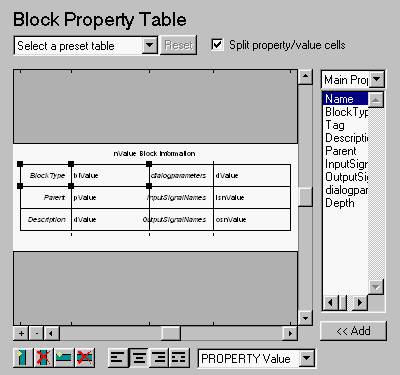 The Block Property Table component is similar to the Handle Graphics Figure Property Table component. See the Handle Graphics Figure Property Table component reference page.
Note:
The Block Property Table component is similar to the Handle Graphics Figure Property Table component. See the Handle Graphics Figure Property Table component reference page.
Note:
Example
The table below is an example of a block property table. It is theDefault preset table. This property table is reporting on the Transfer Fcn. 2 block in the Aircraft Dynamics Model in the f14 demo model.| BlockType |
TransferFcn |
dialogparameters |
Numerator Denominator |
| Parent |
f14/Aircraft Dynamics Model |
InputSignalNames |
<2641.00024> |
| Description |
|
OutputSignalNames |
<2640.00024> |
Insert anything into report?
Yes. Table.Filename
csl_blk_proptable