| Mapping Toolbox | Search Help Desk |
| maptrim | See Also |
Interactively trim and convert map data from vector to matrix format
Activation
| Command Line |
| maptrim(lat,lon) maptrim(lat,lon, linespec)maptrim(map,maplegend) maptrim(map,maplegend, PropertyName,PropertyValue,...) |
Description
maptrim(lat,lon) displays the supplied map data in a new figure window and allows a region of the map to be selected and saved in the workspace. lat and lon must be vector map data. The output can be line, patch, or regular surface (matrix) data. If patch map output is selected, the inputs lat and lon must originally be patch map data.
maptrim(lat,lon,linespec) displays the supplied map data using the linespec string.
maptrim(map,maplegend) displays matrix map data in a new figure window and allows a subset of this map to be selected and saved. The output is regular surface data.
maptrim(map,maplegend,PropertyName,PropertyValue) displays the matrix map data using the surface properties provided. The object Tag, EdgeColor, and UserData properties cannot be set.
Controls
 The
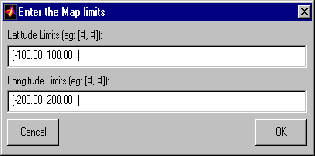
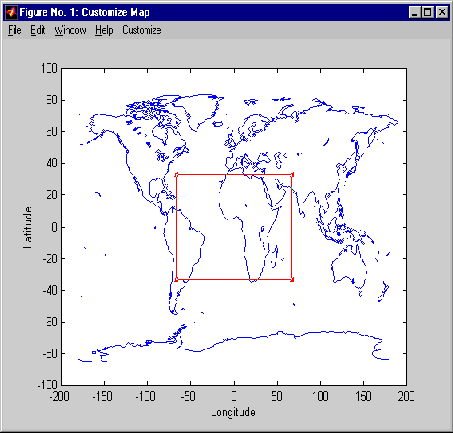
The maptrim tool displays the supplied map data in a new figure window and activates a Customize menu for that figure. The Customize menu has three menu options: Zoom On/Off, Limits, and Save As.
The Zoom On/Off menu option toggles the panzoom box on and off. The box can be moved by clicking on the new location or by dragging the box to the new location. The box size can be increased or decreased by dragging a corner of the box. Pressing the Return key or double-clicking in the center of the box See Also
maptriml maptrimp maptrims panzoom