| Image Processing Toolbox | Search Help Desk |
| roicolor | Examples See Also |
Select region of interest, based on color
Syntax
BW =roicolor(A,low,high) BW =roicolor(A,v)
Description
roicolor selects a region of interest within an indexed or intensity image and returns a binary image. (You can use the returned image as a mask for masked filtering using roifilt2.)
BW = roicolor(A,low,high) returns a region of interest selected as those pixels that lie within the colormap range [low high]:
BW = (A >= low) & (A <= high)
BW is a binary image with 0's outside the region of interest and 1's inside.
BW = roicolor(A,v) returns a region of interest selected as those pixels in A that match the values in vector v. BW is a binary image with 1's where the values of A match the values of v.
Class Support
The input arrayA can be of class double or of any integer class. The output array BW is of class uint8.
Example
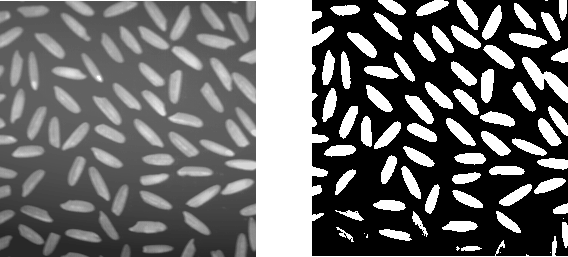
I = imread('rice.tif');
BW = roicolor(I,128,255);
imshow(I);
figure, imshow(BW)
See Also
roifilt2, roipoly