| DSP Blockset | Search Help Desk |
| Convert Complex Simulink To DSP | See Also |
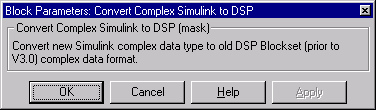
Convert complex data from the Simulink v3 format to the DSP Blockset v2.2 format.
Library
Elementary Functions, in Math FunctionsDescription
The Convert Complex Simulink To DSP block accepts complex data (scalar, vector, matrix) in the Simulink 3 format, and outputs the same data in the DSP Blockset 2.2 complex format. Only complex data should be supplied to this block. Blocks provided in Release 11 and later blocksets (e.g., Simulink 3.0, DSP Blockset 3.0, Fixed Point Blockset 2.0) use the Simulink 3 complex format, which is not compatible with the DSP Blockset 2.2 complex format. To add a new block or subsystem (Release 11 and later) to an existing model that uses the DSP Blockset 2.2 complex data format, precede it with the Convert Complex DSP To Simulink block. If the new block's output is complex, you should then follow it with the Convert Complex Simulink To DSP block (unless the downstream blocks have already been updated to their Release 11+ counterparts). These convertor blocks are only needed for interfacing v3.0 blocks to the complex-data section of a v2.2 or earlier model. Version 3.0 blocks can be added to real-data sections of older models without any data format conversion. Note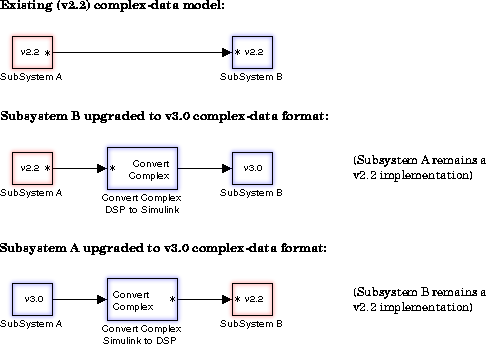
Dialog Box
See Also
Convert Complex DSP To Simulink