| Database Toolbox User's Guide | Search Help Desk |
Setting Up a Data Source
Note:database command.
To use the Database Toolbox with your database and an ODBC driver, you need to set up a data source. A data source consists of data that you want the toolbox to access and information on how to find the data, such as driver, directory, server, or network names. You assign a name to each data source.
You can set up local data sources for databases that reside on your PC, or remote data sources for databases that reside on systems that are networked to your PC. The data source setup procedures for local and remote data sources differ slightly - use the appropriate instructions for your database.
Setting Up a Local Data Source
Follow this procedure to set up a local data source. This procedure uses as an example, the Microsoft ODBC driver Version 3.40 and Microsoft Access Version 7.00 for Windows NT. If you are using a different configuration, you will have to modify the instructions slightly. If you have Microsoft Access installed and want to use the tutorial in Chapter 3 as written, follow information labeled "For the tutorial" when you set up the data source. The tutorial uses the data source,SampleDB, which you set up here. SampleDB uses the Microsoft Access sample database called Northwind.
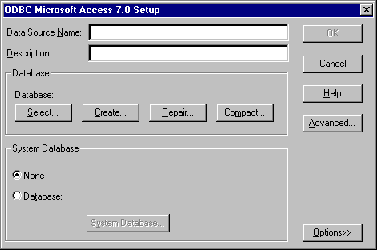
SampleDB as the data source name, and for the
description, type For the Database Toolbox tutorial.
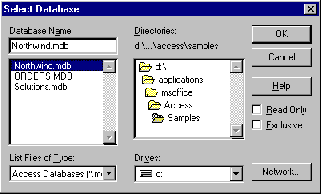
For the tutorial, select Northwind.mdb in the msoffice\Access\Samples directory.
Setting Up a Remote Data Source
Follow this procedure to set up a data source that resides on a remote system to which your PC has network access. This procedure uses the Microsoft ODBC driver Version 3.40 and Microsoft Access Version 7.00 for Windows NT that is installed on a network server. If you are using a different configuration, you will have to modify the instructions slightly. If you have Microsoft Access installed on a networked server and want to use the tutorial in Chapter 3 as written, follow information labeled "For the tutorial" when you set up the data source. The tutorial uses the data source,SampleDB, which you set up here. SampleDB uses the Microsoft Access sample database called Northwind.
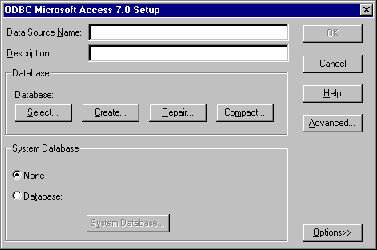
SampleDB - Remote as the data source name, and for
the description, type For the Database Toolbox tutorial.
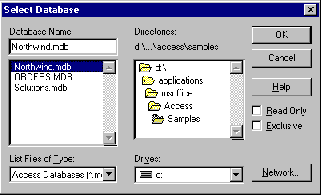
Northwind.mdb in the msoffice\Access\Samples directory.
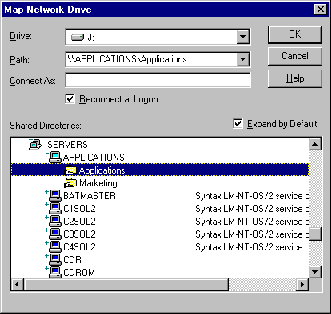
In this example, the database is in SERVERS\APPLICATIONS\Applications. After selecting this directory, the Map Network Drive dialog box closes automatically and you continue locating the file in the Select Database dialog box.