Deleting Objects
You can remove a graphics object with the delete command, using the object's handle as an argument. For example, you can delete the current axes (and all of its descendants) with the statement:
delete(gca)
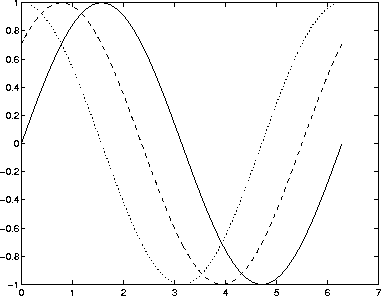
You can use findobj to get the handle of a particular object you want to delete. For example, to find the handle of the dotted line in this multiline plot,
use findobj to locate the object whose LineStyle property is ':'
line_handle = findobj('LineStyle',':');
then use this handle with the delete command:
delete(line_handle)
You can combine these two statements, substituting the findobj statement for the handle:
delete(findobj('LineStyle',':'))
[ Previous | Help Desk | Next ]