| MATLAB Function Reference | Search Help Desk |
| workspace | See Also |
Display the Workspace Browser, a GUI for managing the workspace
Syntax
workspace
Description
workspace
displays the Workspace Browser, a GUI that allows you to view and manage the contents of the current MATLAB workspace. It provides a graphical representation of the whos display.
Remarks
On Windows platforms, to open the Workspace Browser, select Show Workspace from the File menu, or click the Workspace Browser toolbar button.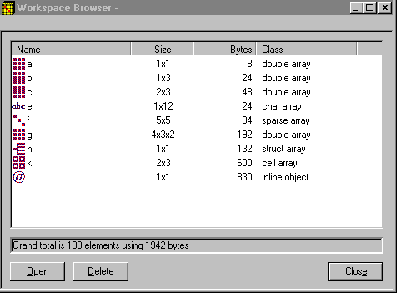
Editing Arrays
To see and edit a graphical representation of a variable, select a variable's icon in the Workspace Browser and click Open, or double-click the icon. The variable is displayed in the Editor/Debugger window, where you can edit it. You can only use this feature with numeric arrays.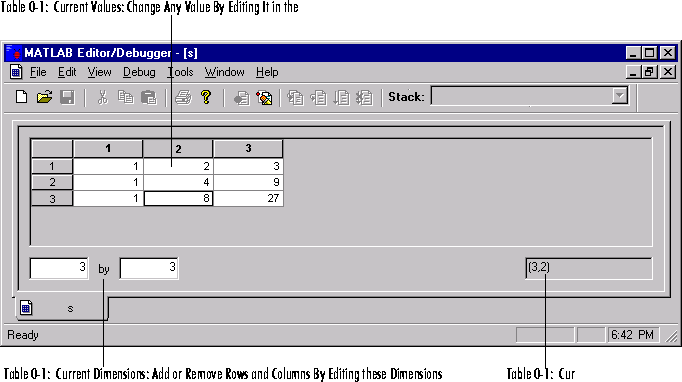
See Also
edit, who