| MATLAB Environment | Search Help Desk |
Starting the Editor/Debugger
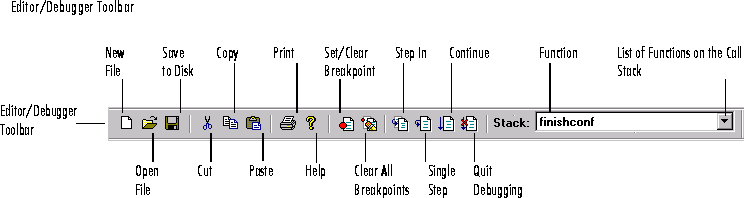
 To start the Editor/Debugger, select New from the File menu in the Command Window, or click the new file (page icon) button on the toolbar, or type
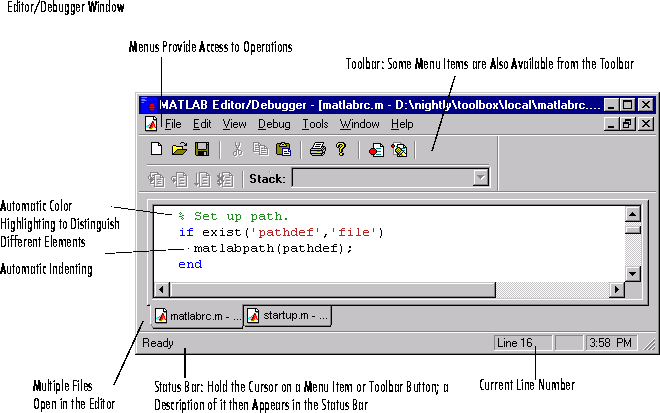
 edit at the command line. The Editor/Debugger window opens.
To start the Editor/Debugger, opening it to a particular file, select Open from the File menu in the Command Window, or click the open file (folder icon) button on the toolbar, or type edit filename at the command line.
 To start the Editor/Debugger, type
 edit at the command line. To start the Editor/Debugger, opening it to a particular file, type edit filename at the command line.
Note
Editor/Debugger Window and Toolbar